Physical device
The panel, machine or product that senses something, receives a command or reports its condition.

Bring device setup, customer control, support and business operations into one clear product experience.
Tell us what the physical product does and who needs to use it. We help plan the app, device connection, operating tools and customer journey around the real work.
What has to work together
The physical device, setup journey, customer app, connection and operating team all need clear responsibilities.
The panel, machine or product that senses something, receives a command or reports its condition.
Help the customer prepare their phone, find the device, connect it and recover from a failed step.
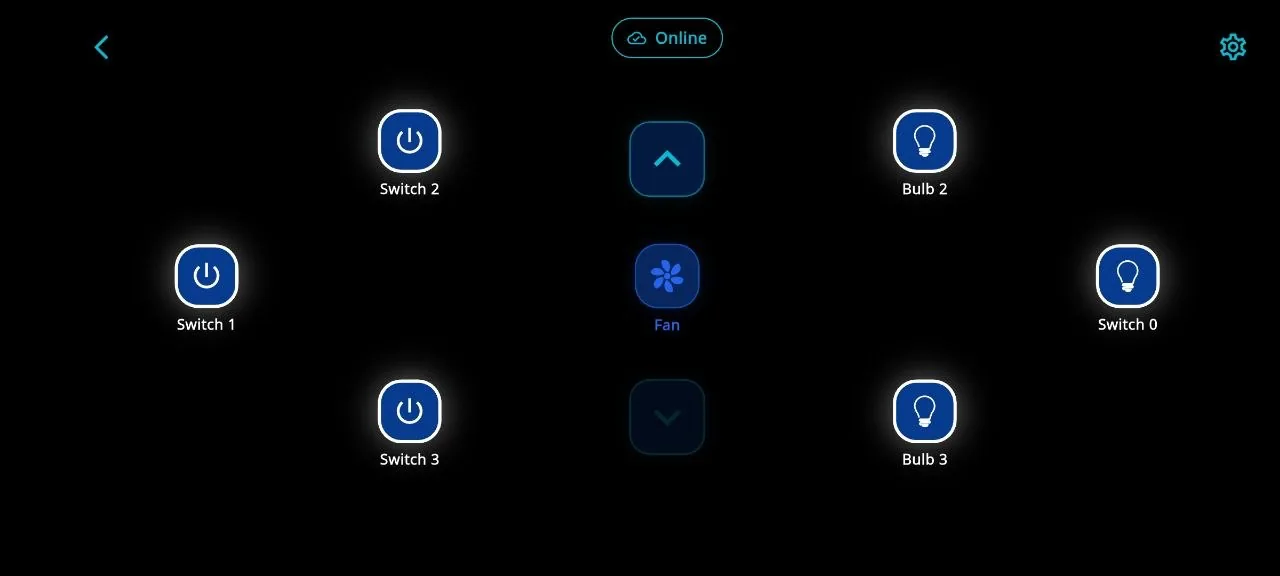
Show the customer what the device can do, its current state and what needs attention.
Move requests and device reports between the app, the physical product and business records.
Give the team a place to find devices, investigate errors, provide service and keep history.
Waiting
Illustrative request state
A customer request can be waiting, confirmed by the device or blocked because the device is unavailable.
The app sent the request and is waiting for the device to report what happened.
Device onboarding
A nearby setup journey can check the phone, find the device, share the network, confirm readiness and explain a failure.
Bluetooth, Wi-Fi and permissions.
Discover the nearby device.
Share the selected network.
Check device-service readiness.
Place it in the account or location.
Show the failed step and next action.
Useful failure states
Select a common problem to see how the product can explain it and guide the next step.
WHAT THE APP SHOWS
Bluetooth permission is off. Explain why it is needed before asking the customer to change it.
What Sagiam can build
Each layer has a clear job. Together they form one connected product experience.
Accounts, setup, control, updates and help.
Nearby discovery, linking and recovery.
Commands, confirmation, history and offline states.
Notifications, repair, warranty and help routes.
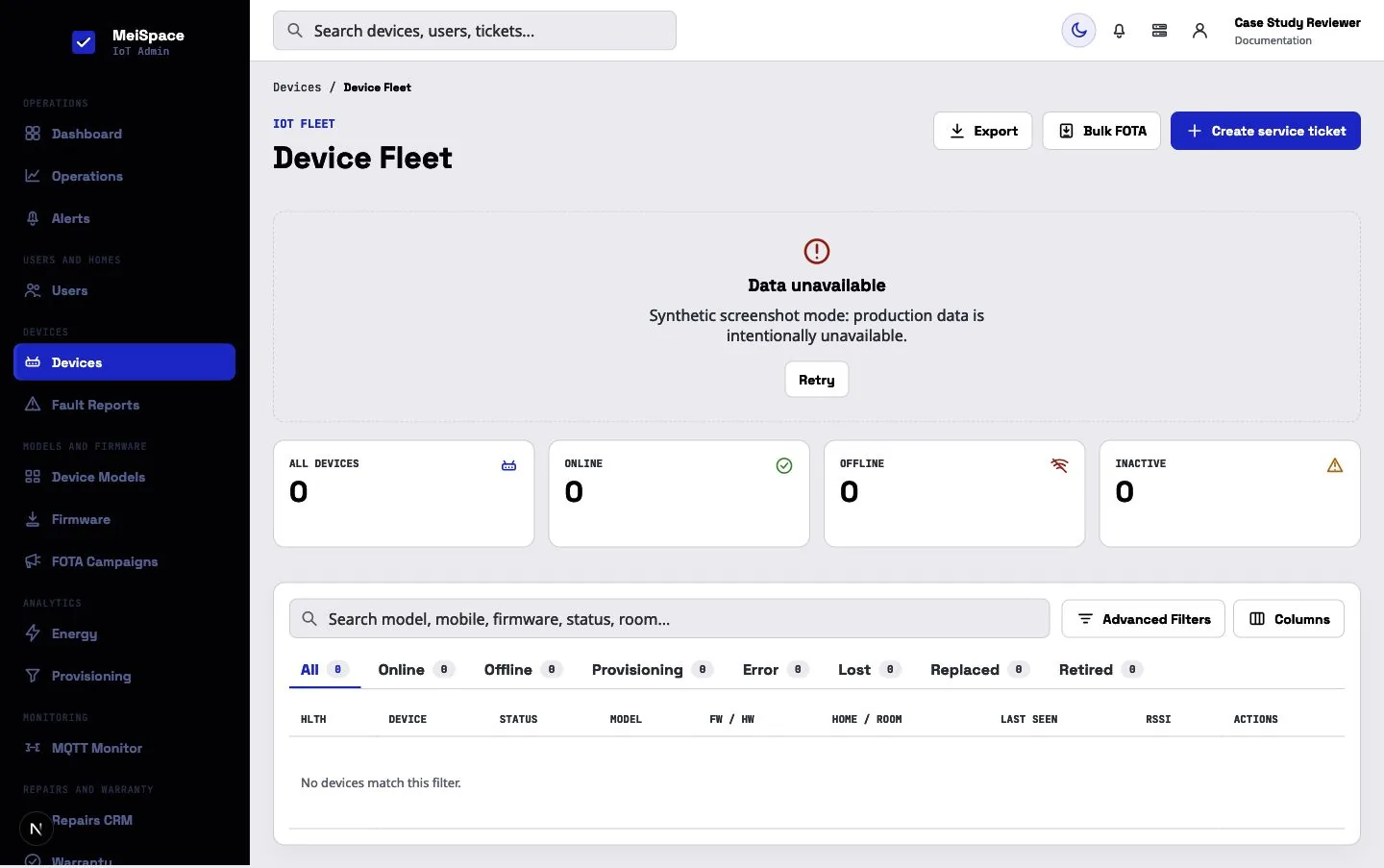
Fleet, errors, onboarding and connection health.
Models, reassignment, firmware and retirement.
Setup, usage, service and customer activity.
Products, accessories, installation and service.
Products that benefit from a connected journey
The device behavior, field conditions, users and operating rules decide the final scope.
Lighting, access, room control and monitoring.
Machine status, repair work and history.
Usage, availability and operator review.
Setup, remote control, updates and warranty.
Asset condition, alerts and maintenance.
Sales, installation and after-sales support.

Selected connected-product work · Local draft
Sagiam designed and developed the represented MeiSpace ecosystem across connected-device apps, commerce experiences, service logic and admin operations.
Evidence status: Built software; production status and measurable outcomes pending client confirmation.
How we plan the work
Six practical stages keep the hardware, software and operating process aligned.
Review what the device does, how it communicates and who owns each part.
Map the customer, installer, support, operator and administrator roles.
Cover setup, normal use, waiting, offline, errors, retries and recovery.
Make difficult steps visible before the complete product is built.
Create the agreed apps, services, dashboards and business connections.
Check devices, permissions, commands, reconnects and team workflows.
Questions before an IoT project
Yes. We first review the device communication, available APIs or firmware documents, supported models, user roles and failure states before defining the app and service work.
Yes, when the hardware and firmware expose the required communication. Bluetooth can support nearby discovery or setup, while Wi-Fi can support the connected service after setup.
The app should show that the device is unavailable or that its state is last known. The exact retry and recovery process depends on the hardware and connection.
Yes. The product can be planned around homes, rooms, branches, sites or another structure that matches the customer and operations model.
Yes. It can cover agreed device states, onboarding, support, firmware work, alerts, reports, roles and activity history.
Yes. An agreed project can include product discovery, ordering, installation, warranty or service journeys alongside connected-device features.
Share the device model, communication method, available firmware or API documents, expected users, target platforms, operating process and required integrations.
The timing depends on hardware readiness, firmware access, supported device models, user journeys, integrations and field testing. We estimate after reviewing these inputs.
Start with what you already have
Bring the device model, communication method, current firmware or API documents, user roles and required business connections. We will help turn them into a practical product plan.