01 · PRODUCT IDENTITY
Know which part it is
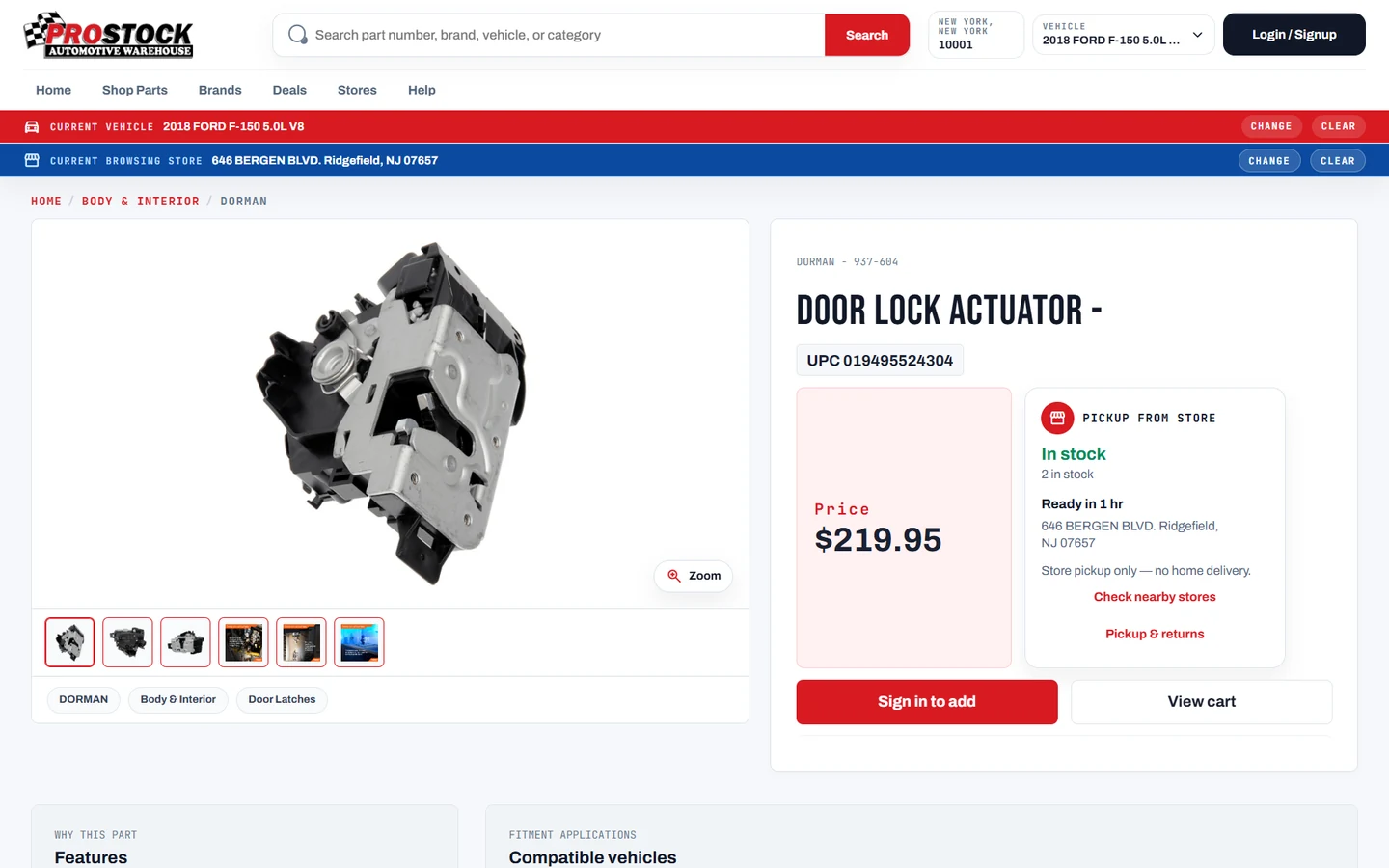
Brand, SKU, manufacturer number, UPC, OE number and cross-references.

Automotive catalog & ecommerce
We turn supplier files, vehicle fitment, images, inventory and pricing into one searchable catalog and connected online store.
Start with a working pilot in days after your source data passes a readiness check.
OUTPUTSearchable online catalog
Ready for reviewProduct mapping · Vehicle fitment · Inventory · Pricing · Storefront · Admin operations
Why auto-parts data gets complicated
Every sellable item can carry several identities, product details, vehicle applications and location-based selling rules. The hard part is keeping those layers connected.
Brand, SKU, manufacturer number, UPC, OE number and cross-references.
Descriptions, specifications, features, images, documents and packaging.
Year, make, model, engine, submodel and important qualifiers.
Price, stock, warehouse, store, pickup, shipping and core charge.
A better parts search
Choose a vehicle once, then show products supported by the available compatibility data. Customers can still browse by category, brand or part number.
A supported product-to-vehicle relationship is available for this sample.
Important: missing vehicle data is never treated as proof that a part is universal.
The catalog launch system
Each stage solves one clear data problem. Your team can see what moved forward and what still needs attention.
Receive supported files, feeds and existing records.
Align identifiers, names, categories and formats.
Connect supported details, specifications and media.
Connect categories and supported applications.
Keep conflicts and missing information visible.
Move approved records into the catalog and store.
The exact connection depends on how each supplier or business system provides its data.
ACES, PIES and business data
Industry standards help systems exchange information. Your licensed product and fitment data still provides the facts behind each record.
Communicates product-to-vehicle applications and qualifiers.
Communicates product descriptions, attributes, brands and packaging.
Connects inventory, price, warehouse, store and fulfillment.
ACES and PIES are data standards, not a ready-made catalog. Product records and fitment applications must come from licensed supplier data, customer data, research or another approved source.
A practical first milestone
Start with one selected brand, category or product group. We use it to prove the mapping, vehicle search, product pages and business-data connection.
Choose a Pilot CategoryA working pilot can be prepared in days after authorized access, licensing and usable source data are confirmed. The full launch schedule depends on catalog size, integrations and review needs.
Built for a real auto-parts business
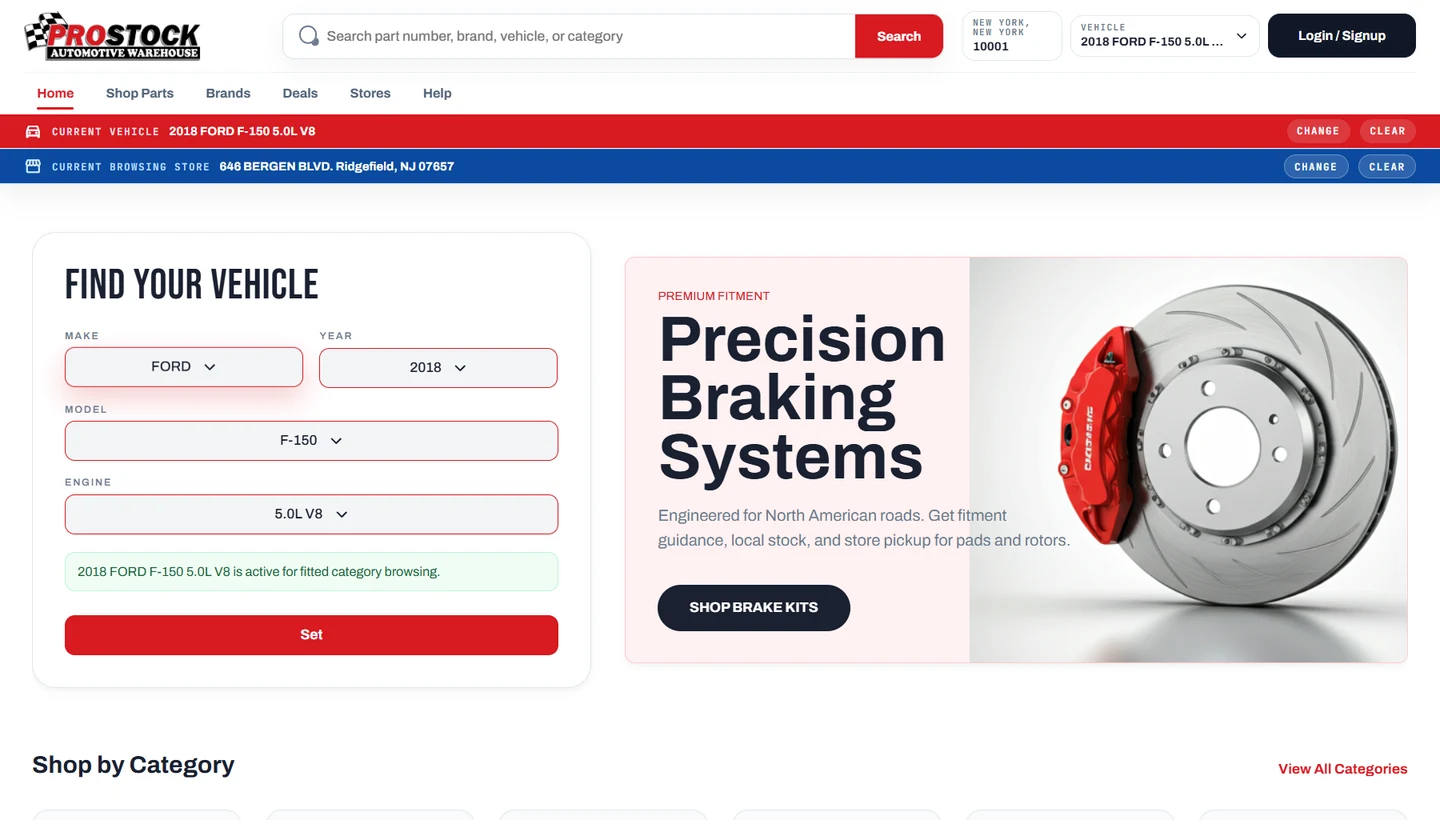
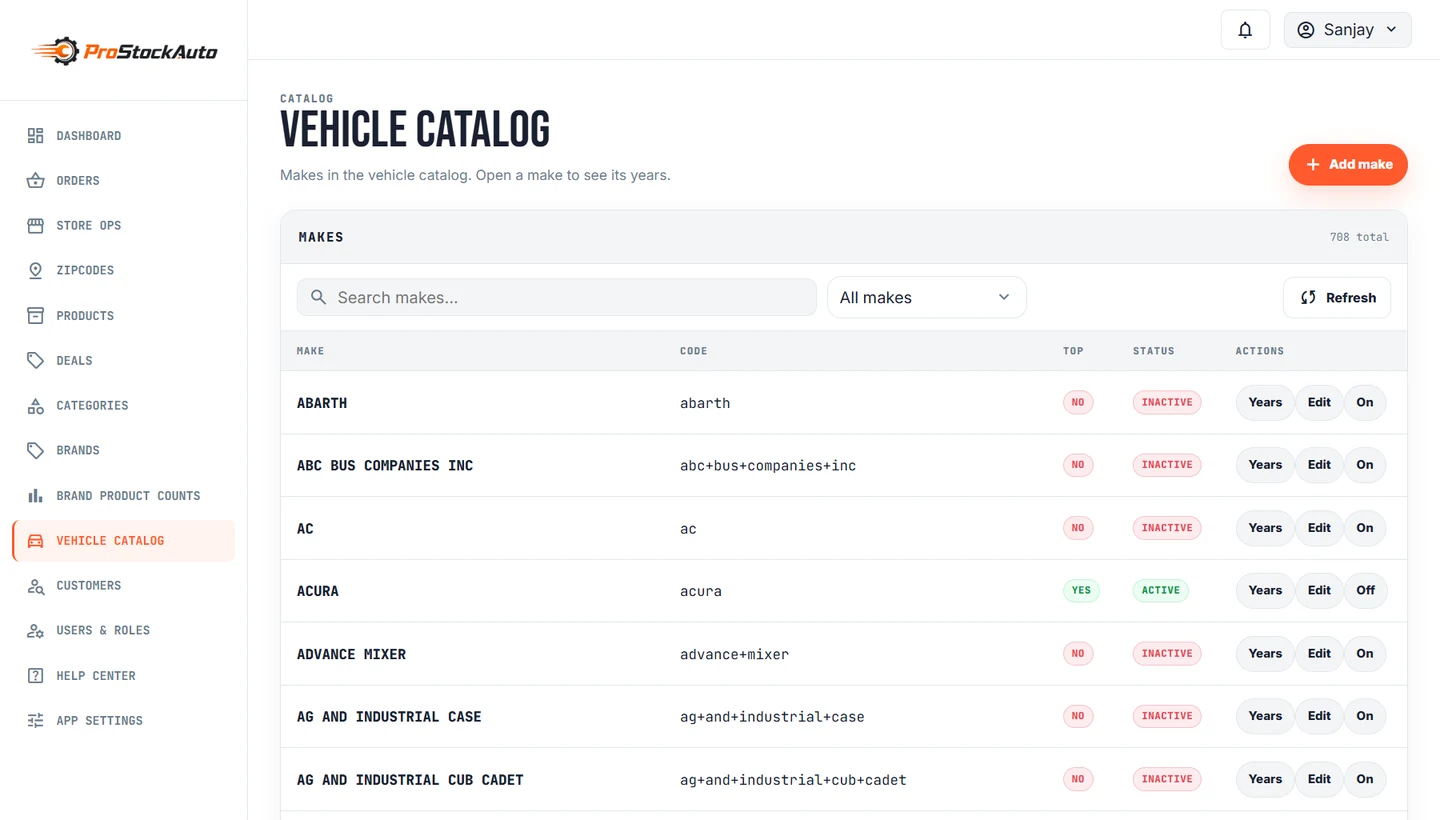
See how vehicle fitment, local inventory, pricing, customer ordering and back-office work come together in one system.
The ProStock work demonstrates how Sagiam can connect product data, vehicle fitment, local inventory, pricing, customer ordering and back-office operations. The same catalog foundation can support a focused pilot while the complete rollout is planned around your data and integrations.
Exact fitment protectedExisting supported links take priority
KEEPCategory needs reviewUncertain records stay visible
REVIEWDuplicate avoidedExisting identifiers were reused
MERGEDAutomation with clear controls
Large catalogs need automation, but uncertain records should not be published silently. Sagiam uses rules, source evidence and review controls to keep the process understandable.
Automation helps organize and enrich catalog data. It does not independently guarantee final vehicle compatibility.
One connected platform
Choose the parts your operation needs. The exact combination is planned around your systems and sales channels.
Vehicle search, category browsing, product details and compatibility states.
Accounts, carts, ordering, pickup and customer buying journeys.
Warehouse, store, availability, price and scheduled updates.
Products, brands, categories, vehicles, fitment and publication controls.
Supported supplier feeds, business systems, scheduled files and APIs.
Import results, exceptions, orders, returns and useful reporting.
Catalog coverage
Select the brands and categories your business needs, then confirm product content, vehicle fitment, images and regional availability during the data-readiness check.
Coverage varies by brand and source. We verify what is ready, what needs mapping and what requires review before publication.
Check your catalog sourceBefore you start
Bring a supplier name, a sample file or an overview of your current system. That is enough to begin the discussion.
Ask about your catalogWe can work with supported CSV, spreadsheet, XML, API, FTP and source-specific inputs. We first review the structure, identifiers, licensing and update process.
Not always. They are useful North American standards for exchanging fitment and product information, but some businesses begin with supplier exports or an existing database.
Yes, when the current platform can support the required catalog and fitment connection. We review the website, product database and available integration options first.
A focused pilot can be prepared in days after authorized access is available and the source data passes a readiness check. The complete production timeline is estimated after the scope, data quality and integrations are understood.
No. Clean source records can move quickly, while missing identifiers, conflicting fitment or unclear classifications may need review. Those exceptions remain visible instead of being published as guesses.
They can be updated from a supported API, scheduled file, FTP source or business-system connection. The method and frequency depend on the source system and project scope.
Your catalog, mapped clearly
Bring your supplier, approximate SKU count, target brands, inventory source and desired sales channels.