Find by vehicle
Make, year, model and engine selection narrows the journey to the vehicle the customer is working on.


Automotive commerce, built by Sagiam
A vehicle-aware shopping website, a connected admin workspace and automation that turns supplier data into a useful parts catalogue.
The business challenge
A part number alone is not enough. Customers need to know which vehicle a part suits, what it costs at their store and whether it is available for pickup. The team needs to keep all of that information connected.
Sagiam brought the customer website, admin workflows and catalogue-processing tools into one project: helping people find parts while giving the business control over products, stores, orders and the data behind them.
The customer website
The vehicle and store stay in view as customers browse, giving product discovery the context an auto-parts business needs.
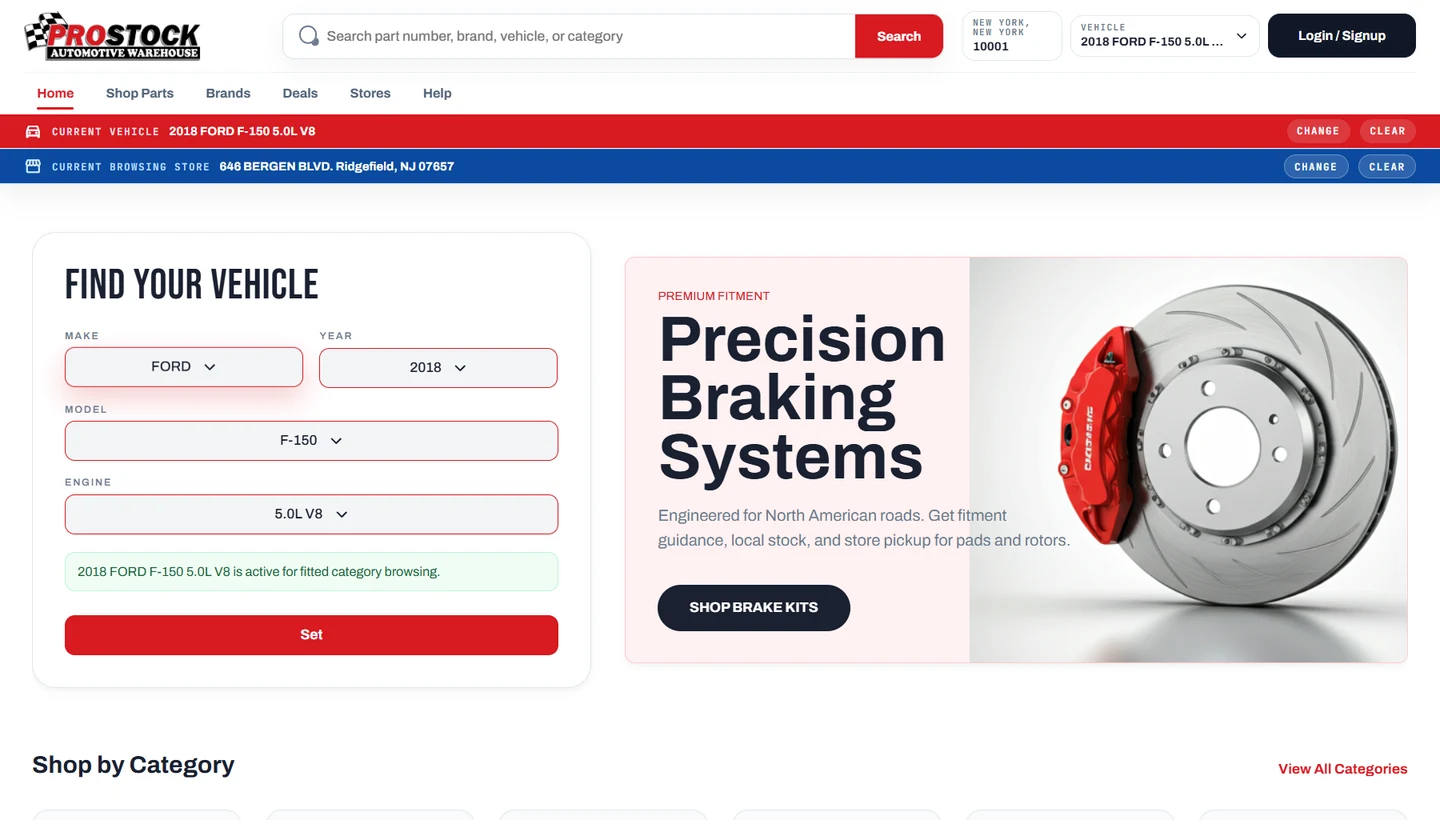
Make, year, model and engine selection narrows the journey to the vehicle the customer is working on.
Browse categories and brands, or search using a part number, product name or other catalogue details.
A ZIP code helps find a pickup location. The selected warehouse supplies the stock and pricing context.
Customer and business sign-in connects shopping to the relevant cart, saved garage, orders and pickup rules.
A useful product page
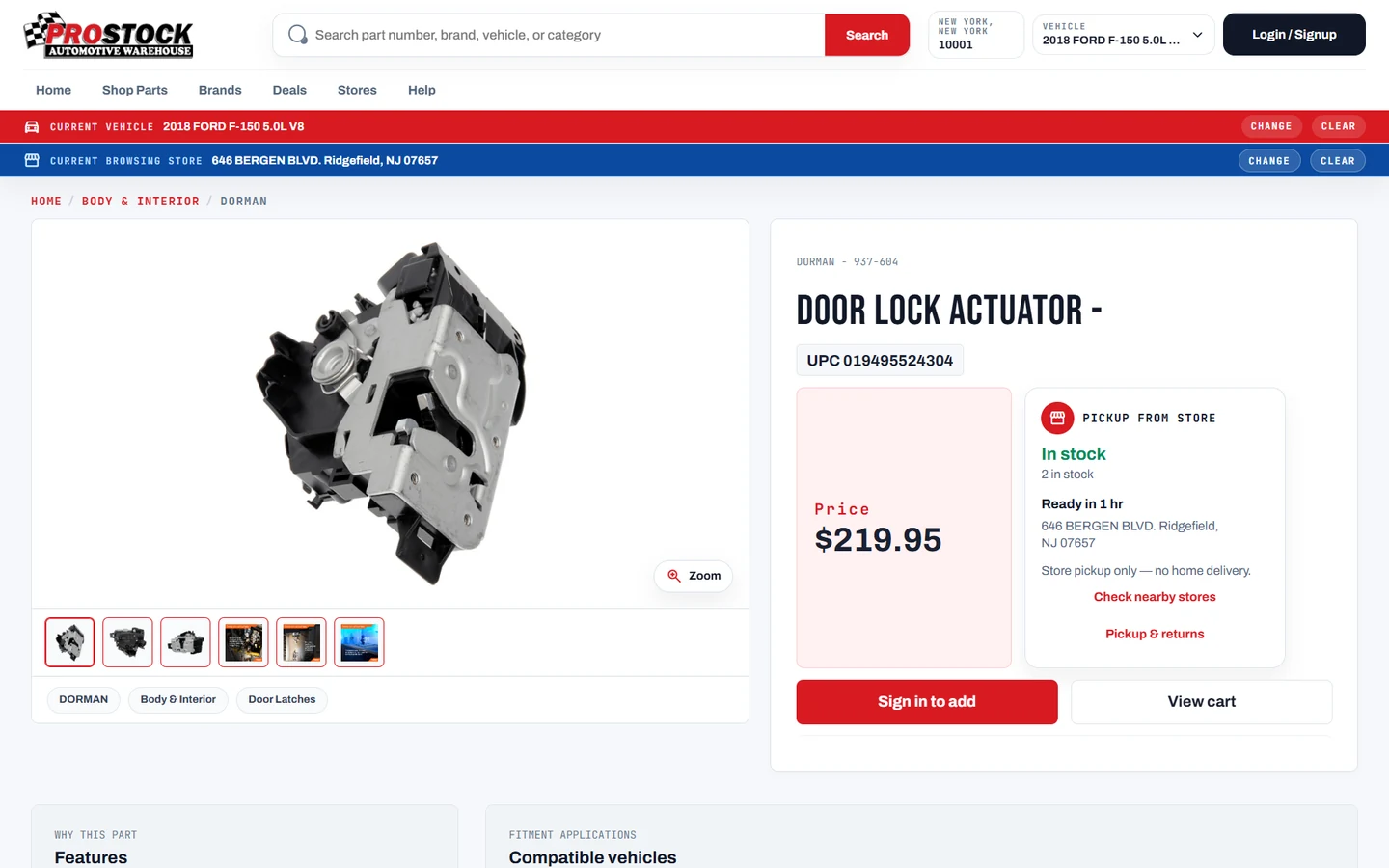
We bring product information and the buying decision into the same place, with clear product images and the selected store’s availability.
The admin workspace
The team can manage the catalogue and customer orders, organise stores and staff, and see where product data needs attention.
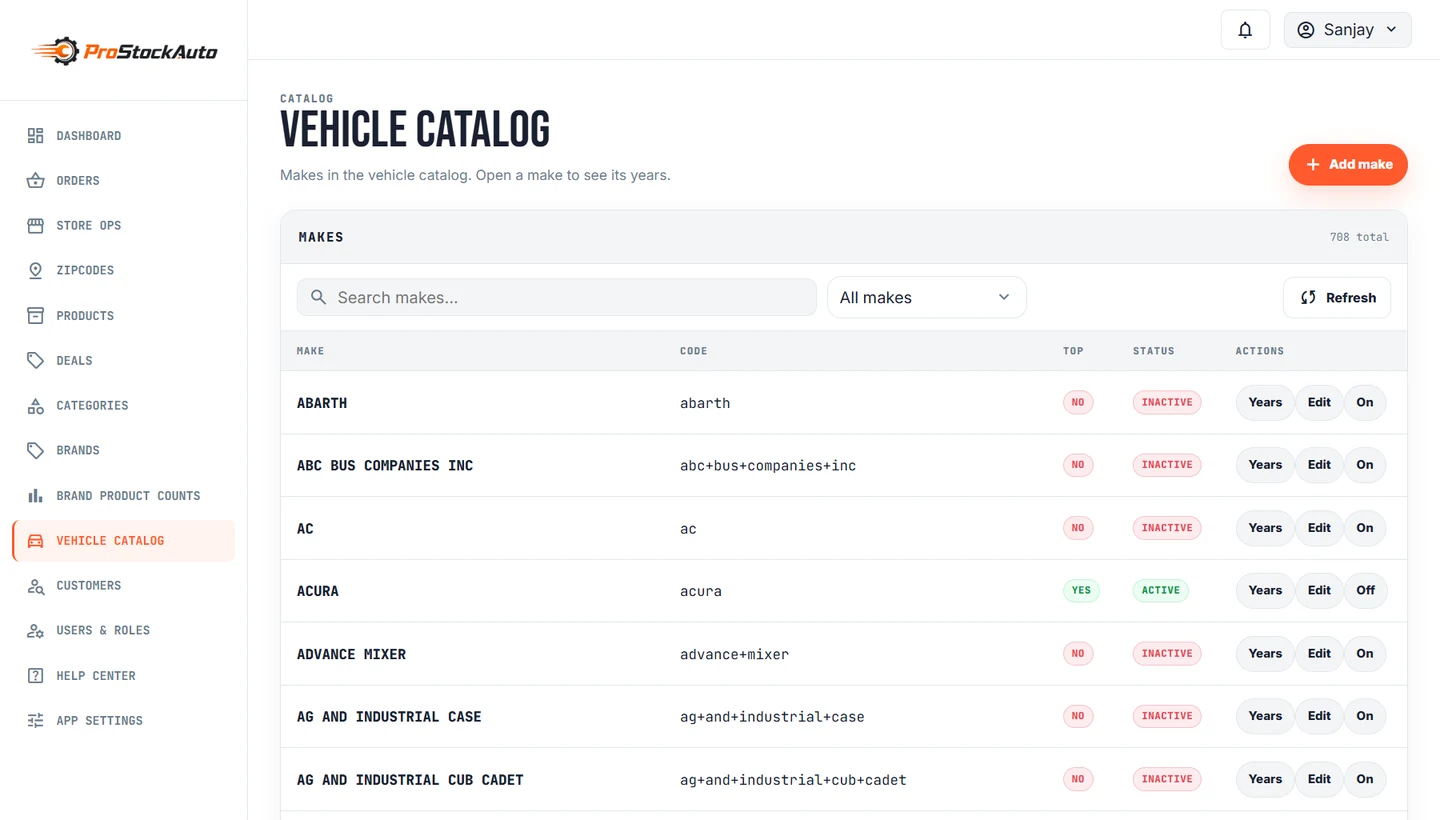
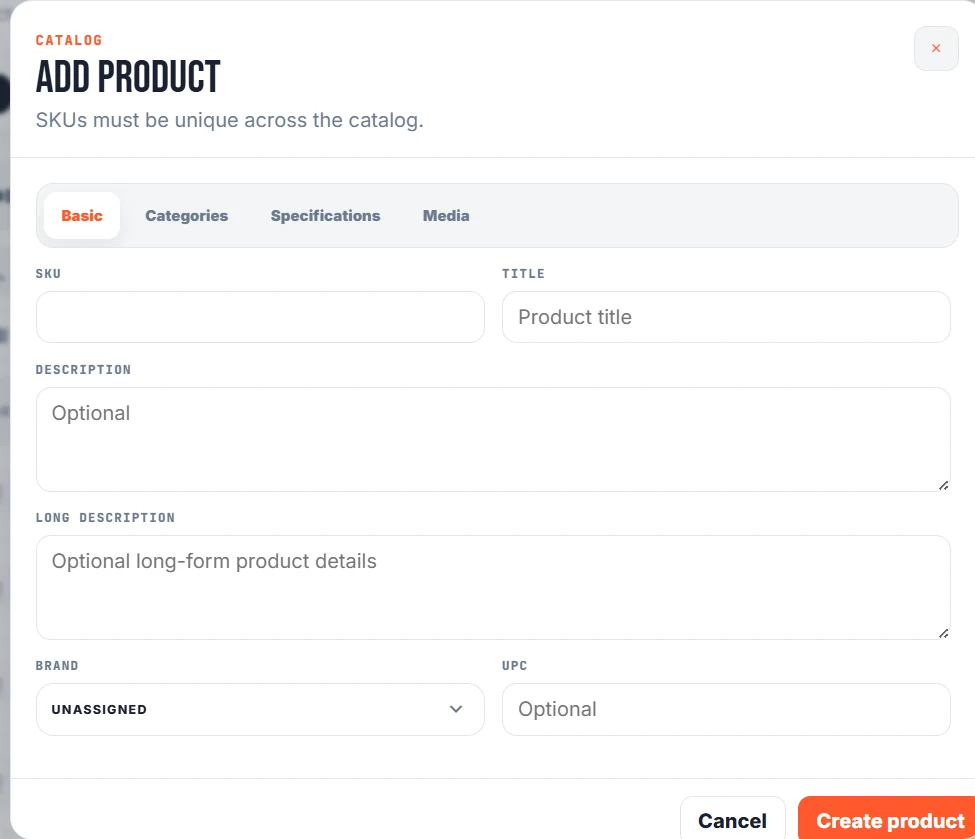
Open a section to see the workflows included.
Create and edit products with their SKU, descriptions, brand, UPC, pricing, specifications and media. Organise categories and subcategories, link products, and control whether records are published or inactive.
Maintain the make → year → model → engine hierarchy and the relationships between vehicles and products. These records power the customer’s vehicle selector and compatibility information.
Follow orders through pending, confirmed, ready for pickup and completed states, with cancellation and status history available to the team.
Manage the stores customers shop from, with location records, active/default settings and links to the corresponding back-office warehouse.
Keep customer support and staff administration in the same workspace, with controls appropriate to each account’s role.
Give the team tools to review operations and maintain the content customers see.
The automation behind the catalogue
The automation handles repeated data work, while the team can inspect progress, review uncertain results and control what gets applied.
Import products, brands, stock files and the vehicle catalogue.
Collect supported supplier descriptions, images, attributes and vehicle applications.
Resolve vehicle names and engines, classify products and identify duplicate data.
Surface uncertain matches, missing information and proposed new categories.
Merge eligible updates and keep source details, outcomes and change history.
Keep existing data. Add new matches and media. Record the source.
Background workers share a queue. A product is claimed before processing so two workers do not take the same job. Each result is recorded by run, worker, product and source.
Dorman, ShowMeTheParts, Gates, Bosch, KYB, ACDelco and other source-specific importers. Each has its own handling, with common progress and reporting tools.
Getting the logic right
A missing match is not treated as a universal part. The catalogue distinguishes four cases so customers and the team get a useful answer.
A brake pad or alternator needs an exact vehicle relationship. Make, year, model and engine matter.
Active product-to-engine links provide the compatibility evidence. If a product requires a vehicle but the link is missing, it remains missing data rather than a confirmed match.
Some accessories are designed for a broad range of vehicles and can be explicitly classified as universal.
Universal status needs supporting product information. An empty supplier vehicle table is not enough to mark a part as fitting every vehicle.
Tools, cleaners and other workshop supplies can be browsed without selecting a particular vehicle.
These products remain available through category browsing and search. They are described as not needing a vehicle match, rather than being given an unsupported fitment claim.
Unclear or conflicting data is kept visible to the team as something that needs attention.
Rules and AI can assist with classification, but uncertain results and proposed new categories go through review. Existing exact vehicle links take priority over a conflicting suggestion.
Merge without duplicating. Reuse existing vehicles, keep valid compatibility links and add only new gallery images.
Check before applying. Compare reviewed data with the current product so an old review cannot silently overwrite newer changes.
Keep a recovery path. Record sources and decisions, back up classification changes and support rollback.
From customer order to store pickup
Order status, store responsibilities and after-sales actions are brought into the admin workflow, with a history the team can refer to.
The selected store and order items provide the starting context.
Staff review the order, add notes and confirm the next action.
The store updates the status as the order moves towards handover.
Invoices, returns and replacements stay connected to the order.
Admin settings include the FTP source, daily schedule and timezone used for stock-file imports. Warehouse records provide the location context used by the store-facing catalogue.
Connection settings, warehouse mappings and an order-level integration area bring the external business system into the workflow. Staff can work with the order and its integration context together.
Sales, returns and replacement views can be filtered by date and warehouse, with CSV export for further review.
What Sagiam brought together
The visual experience, daily operations and catalogue-processing work are parts of the same project.
Responsive web journeys for product discovery and operational work.
Next.js · ReactProducts, vehicle relationships, warehouses and application services.
Node.js · Express · MongoDBSupplier-specific importers, background processing, classification and review tools.
Worker orchestration · Ollama · Import monitoringHave a business with a complex catalogue?
Talk to Sagiam about your website, operations and the work you want to automate.